Play Older Minecraft with ViaBackwards
Viabackwards allows older Minecraft clients to connect to newer servers smoothly, ensuring reliable gameplay and full version compatibility.
About ViaBackwards
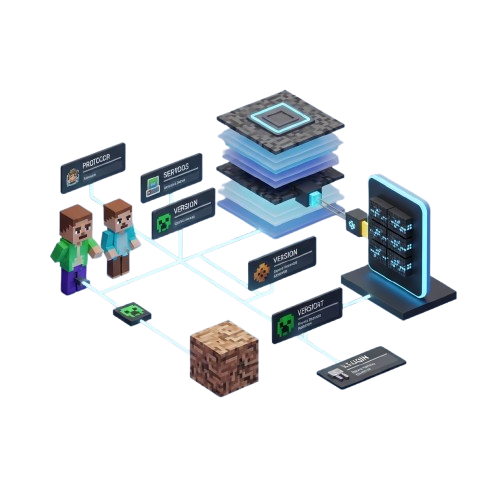
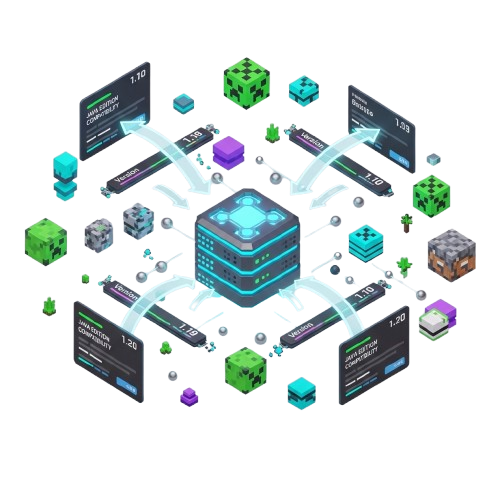
Viabackwards is a powerful Minecraft compatibility plugin built to allow older client versions to connect seamlessly to newer servers. It works alongside ViaVersion to provide a smooth and reliable backward compatibility solution.
Designed for both server administrators and large network operators, Viabackwards ensures players can join without upgrading their game version. Whether you manage a small private server or a large public network, Viabackwards maintains stable connections with precision.
“With intelligent protocol translation and version support, Viabackwards delivers dependable compatibility for every Minecraft server.”
Powerful Features
Viabackwards provides everything you need for stable, reliable, and seamless Minecraft version compatibility in one lightweight and robust plugin. It ensures older clients connect smoothly to newer servers, automatically translates protocol differences, and keeps gameplay uninterrupted. With Viabackwards, you can support multiple versions, maintain connection stability, and integrate effortlessly with ViaVersion for a native server experience.
Advanced Protocol Engine
Smart packet translation ensures smooth gameplay across different Minecraft versions.
Stable Server Compatibility
Maintains consistent connections between older clients and modern server versions.
Optimized Performance Core
Lightweight processing keeps your Minecraft server running fast and stable.
Seamless ViaVersion Support
Fully integrates with ViaVersion for complete backward compatibility control.
Multi-Version Client Access
Allows multiple older Minecraft versions to connect without conflicts.
Intelligent Packet Handling
Prevents version errors by translating data packets accurately and efficiently.
How It Works
Viabackwards works behind the scenes to translate protocol differences, allowing older Minecraft clients to connect smoothly to newer servers without errors or gameplay instability.
Plugin Deployment
Upload Viabackwards into your server plugins folder and restart server safely.
Version Linking
Ensure ViaVersion is installed and active before enabling Viabackwards.
Protocol Translation
Automatically converts packets between older and newer versions smoothly.
Stable Processing
Runs efficiently in background without affecting server performance.
Why Choose ViaBackwards
Viabackwards is a powerful solution for Minecraft servers that need backward compatibility without sacrificing stability or performance. It works seamlessly with ViaVersion to ensure older client versions can connect to newer servers smoothly, securely, and without gameplay disruptions.
Backward Support
Allows older Minecraft clients to connect to modern servers without issues.
Protocol Handling
Translates version differences accurately to prevent errors or unexpected crashes.
Server Stability
Runs efficiently in background without impacting server speed or stability.
Easy Setup
Quick installation process with simple configuration for server administrators.
Community Trusted
It is Widely used by Minecraft servers for dependabled version and bridgings.
Open Source
Completely free plugin with community-driven updates and improvements.
Download Viabackwards
Viabackwards can be downloaded from its official source. Using the official release ensures you get the latest updates, bug fixes, and full server compatibility features.
Minecraft Server
Latest version compatible with modern Minecraft servers running Java 17 or newer.
Legacy Server
Backwards-compatible versions for servers still running older Minecraft builds.
ViaVersion
Optimized to work alongside ViaVersion for seamless multi-version support.
System Requirements
Viabackwards requires a Minecraft server running Java 17 or newer, at least 100MB free disk space for plugin files, and is compatible with Spigot, Paper, and most forks. No additional dependencies are needed, and the current stable version is 1.3.2.
Installation Guide for ViaBackwards
Download Plugin
Download the official Viabackwards plugin (.jar) from the official website to ensure you receive the latest stable version, security updates, and all functionality. Using the correct source guarantees that your server will run smoothly and support multiple Minecraft client versions without issues.
Complete Installation
Place the Viabackwards .jar file into your server’s plugins folder and restart your Minecraft server fully to activate the plugin. This step ensures that all multi-version compatibility features are loaded correctly, preventing errors or conflicts when older clients attempt to join modern servers.
Configure Settings
Open the Viabackwards configuration file and adjust key settings for protocol translation and multi-version support. Make sure to set compatible client versions, enable notifications, and verify any optional features. Proper configuration is essential to avoid connection issues and guarantee smooth gameplay for all players.
Start Playing
Once setup is complete, older Minecraft clients can join modern servers seamlessly. Monitor gameplay to ensure stable connections, protocol translation accuracy, and multi-version compatibility. Encourage players to report any issues and adjust configuration if needed. Viabackwards provides reliable support for all server types and client versions.
Viabackwards vs Default Minecraft Version Support
Compare how ViaBackwards improves server compatibility by allowing older Java Edition clients to join newer Minecraft servers with far more flexibility than default version support.
| Feature | ViaBackwards | Default Minecraft Version Support |
|---|---|---|
| Older Client Compatibility | Supported | Limited |
| Join Newer Servers with Older Versions | Yes | No |
| Cross-Version Multiplayer Flexibility | High | Low |
| Plugin-Based Server Support | Available | Not Available |
| Backward Protocol Translation | Included | Not Included |
| Useful for Public Servers | Highly Useful | Basic Only |
| Version Upgrade Flexibility | Strong | Restricted |
| Player Accessibility | Broader Access | Same-Version Only |
Older Client Compatibility
Supported
Join Newer Servers with Older Versions
Yes
Cross-Version Multiplayer Flexibility
High
Plugin-Based Server Support
Available
Backward Protocol Translation
Included
Useful for Public Servers
Highly Useful
Version Upgrade Flexibility
Strong
Player Accessibility
Broader Access
Older Client Compatibility
Limited
Join Newer Servers with Older Versions
No
Cross-Version Multiplayer Flexibility
Low
Plugin-Based Server Support
Not Available
Backward Protocol Translation
Not Included
Useful for Public Servers
Basic Only
Version Upgrade Flexibility
Restricted
Player Accessibility
Same-Version Only
System Compatibility
Java 17 Servers
Supports Minecraft servers running Java 17+, ensuring smooth backward compatibility for clients.
Spigot Support
Fully compatible with Spigot servers, allowing seamless integration across multiple versions.
Java 16 / 15 Servers
Works with servers running Java 16 or 15, providing stable multi-version compatibility support.
Lightweight & Stable
Minimal server load ensures stable connections and smooth gameplay for all players online.
Guide for ViaBackwards
Loved by Server Owners




Frequently Asked Questions
What is Viabackwards?
Viabackwards allows older Minecraft clients to connect to newer servers seamlessly without errors or gameplay disruptions.
Is Viabackwards free?
Yes, Viabackwards is completely free, open source, and available to all server owners for unlimited use.
Which Minecraft versions are supported?
Supports most older clients when the server runs Java 17 or newer, ensuring full backward compatibility.
Can multiple clients connect simultaneously?
Yes, multiple legacy clients can connect alongside modern clients without causing crashes or lag.
Is ViaVersion required?
Yes, Viabackwards relies on ViaVersion to translate protocols between older and newer client versions.
Will it work with mods?
Generally works with vanilla servers; modded clients may need testing to ensure full compatibility.
What does Viabackwards do?
Translates network protocols so older clients can connect to newer server versions efficiently and reliably.
Does it affect server performance?
No, Viabackwards is lightweight and optimized, consuming minimal resources for stable server operation.
Can I restrict versions?
Yes, you can configure allowed legacy versions to connect, controlling which clients have access.
Does it handle errors automatically?
Yes, it manages connection errors intelligently, preventing crashes and maintaining server stability.
Is it compatible with Paper/Spigot?
Fully compatible with Spigot, Paper, and most forks, ensuring smooth integration with popular server types.
Can it support multiple legacy versions?
Yes, several older client versions can connect simultaneously, enabling wider access for all players.
Is my server data safe?
Yes, Viabackwards does not collect any player or server data, keeping all connections private and secure.
Does it store client info?
No, the plugin only translates protocols and does not log or store any client-specific information.
Can it prevent exploits?
It ensures stable connections but using dedicated security plugins is recommended to prevent server exploits
Is it safe for public servers?
Yes, it has been tested on large public servers and does not introduce privacy or security risks.
Are players’ actions logged?
No, Viabackwards does not log actions; standard server logs handle player activity monitoring.
Can admins monitor connections?
Yes, server admins can monitor connections via normal server logs; the plugin does not store data.
How to install Viabackwards?
Place the Viabackwards .jar in your server plugins folder, then restart the server to enable the plugin.
Is configuration required?
Basic configuration is optional but recommended to control allowed legacy versions and translation settings.
How do I update the plugin?
Download the latest .jar from the official source and replace the old file while the server is stopped.
Can I use it without ViaVersion?
No, Viabackwards requires ViaVersion; without it, older clients cannot connect to newer servers.
Does it work on hosted servers?
Yes, it works on hosted servers as long as you have plugin access to the server’s plugins folder.
Is it stable for production servers?
Yes, Viabackwards is tested for stability and performance on both private and large public servers.
Viabackwards – Connect Older Minecraft Clients Easily
Viabackwards lets you connect older Minecraft clients seamlessly. Enjoy backward compatibility, smooth gameplay, and easy server access anytime.
Price: Free
Price Currency: $
Operating System: Windows, macOs, Linux
Application Category: Software
4.49